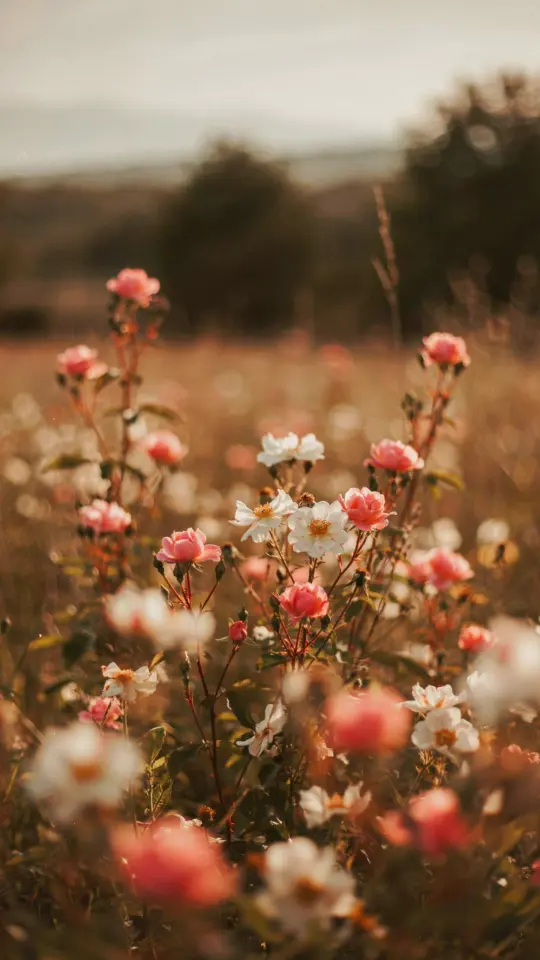
If you have ever scrolled through Pinterest and wondered how those creators get that dreamy, soft look in their photos, you are not alone. Achieving that cohesive, muted color palette often feels like a secret only professionals know. But the truth is, aesthetic photo editing for soft photography is completely doable on a budget using just your phone and a few clever Lightroom mobile presets. I have been editing this way for years, and I want to share the exact tips and tricks I use to create those gentle, airy images without spending hundreds on gear or expensive software.
Why Muted Colors Work for Dreamy Photography
A big part of soft photography comes from the color palette. Muted colors (desaturated tones that lean toward gray or pastel) feel calm, nostalgic, and almost painterly. They reduce visual noise so the subject feels gentle and inviting. The best part is that you do not need a fancy camera to achieve this. You can take any portrait, flat lay, or nature shot and give it that soft, muted look with simple edits on your phone.
Choosing the Right Free Lightroom Presets for a Soft Look
You do not need to buy expensive preset packs. There are many excellent free Lightroom presets available online from photographers who share their work. I recommend looking for presets labeled “pastel,” “faded,” or “film-inspired.” Apply one as a starting point, then adjust the exposure and contrast to suit your specific photo. Always test a preset on a few different images before committing to one. A preset designed for bright outdoor shots might look too dull on indoor flat lays, so be ready to tweak.
- Tip 1: Start with a preset that reduces highlights and lifts shadows – this instantly softens the image.
- Tip 2: Check the color mixer section: desaturate oranges and yellows slightly for cleaner skin tones.
- Tip 3: Add a very slight grain (around 15-20) to mimic the texture of film, which reinforces the dreamy feel.
How to Create a Muted Color Palette in Lightroom Mobile
Creating your own muted color palette inside Lightroom mobile is easier than you think. Go to the Color Mixer tab and reduce the saturation of every color by about 20-30 percent. Pay special attention to blues and greens (for nature shots) and reds and oranges (for portraits). Then increase the luminance of those same colors slightly to prevent the image from looking flat. This technique gives you a soft, desaturated base that still holds depth. I use this method for nearly all my flat lays and it works like a charm.
For an extra dreamy effect, try lowering the overall contrast and raising the shadows. The goal is to keep the midtones bright but not blown out. A slightly underexposed image often looks more moody and soft after you bring up the shadows, so do not be afraid to start with a darker shot.
Budget-Friendly Editing Tricks for Portraits and Nature Shots
You do not need a whole arsenal of tools. For portraits, focus on the face: soften the skin by reducing clarity and texture slightly (a -10 to -15 pull gives a nice glow). For nature shots, adjust the Tone Curve by lifting the blacks a tiny bit – this creates that airy, “faded” look that defines soft photography. These are simple, free adjustments that cost nothing but produce professional results. I swear by these two tricks when I edit photos of flowers or landscapes on my phone.
Another affordable trick is to shoot in natural, diffused light. A cloudy day or a spot near a window with a thin curtain gives you a head start. When the light is already soft, your edits will be minimal, which saves time and keeps your photos cohesive.
Consistent Editing Workflow for a Cohesive Feed
If you want your Instagram or portfolio to look intentional and polished, consistency is key. Use the same base preset on every photo, even if you need to tweak exposure per image. Save your edited preset as a user preset in Lightroom mobile so you can apply it in one tap. Over time you will build your own signature style that people recognize. This is one of my favorite photography tips for anyone starting out – it saves hours and keeps your feed looking curated without feeling repetitive.
Real Examples from My Own Budget-Friendly Editing
Let me give you a concrete example. I recently shot a flat lay of a cup of coffee on a wooden table with my phone camera. The original image looked flat and yellow. Using a free preset I found on a blog (search “soft coffee Lightroom preset free”), I applied it and then reduced the yellow saturation by 30 percent. I also lifted the shadows until the tabletop looked light
#aestheticphotoediting #softphotography #Lightroompresets #mutedcolors #photographytips
Leave a Comment